macOS beta 0.9.65 · Windows beta 0.9.65 · Native apps
Every exhibit in its place. Every citation in your brief.
Like Zotero, but for the exhibits of a case — and your files stay on your computer, not in our cloud. LitArbi numbers them the way your tribunal wants, cites them into Microsoft Word from a pane beside your draft, and produces the list, the bundle and the e-brief from the same data.
You're on the list.
We'll email you the moment your beta invitation is ready.
PCA Case No. 2025-17
IN THE MATTER OF AN ARBITRATION UNDER THE AGREEMENT BETWEEN THE REPUBLIC OF ARCADIA AND THE REPUBLIC OF VALDORIA FOR THE PROMOTION AND RECIPROCAL PROTECTION OF INVESTMENTS AND THE UNCITRAL ARBITRATION RULES (2013)
MERIDIAN HOLDINGS LTD.
Claimant
v.
THE REPUBLIC OF VALDORIA
Respondent
STATEMENT OF CLAIM
8 October 2026
I. Introduction
This Statement of Claim is submitted on behalf of Meridian Holdings Ltd. (“Meridian” or the “Claimant”) pursuant to Procedural Order No. 1 of 14 July 2026.
The dispute arises from the Concession Agreement of 12 May 2009, under which Meridian built and operated the Sunridge offshore platform in Valdorian waters.
After ten years of uneventful operation, Valdoria approved an expansion of the platform, watched it being built, and then terminated the Concession — relying on a decree that predates the approval by three years.
Meridian claims compensation of USD 184 million for the expropriation of its investment and for the breach of the fair and equitable treatment standard.
II. The Parties
Meridian is a company incorporated under the laws of the Republic of Arcadia, with its seat in Port Albany. It has held the Sunridge concession since 2009.
The Respondent, the Republic of Valdoria (“Valdoria”), acts in this arbitration through its Ministry of Justice. The Ministry of Energy is the authority responsible for the Concession.
III. The Facts
A. The Concession
Under Article 4 of the Concession Agreement, Meridian obtained the exclusive right to extract and process gas from the Sunridge field for thirty years.
Article 18 allows the Ministry to terminate the Concession only for a material breach that Meridian has failed to cure within ninety days of a written notice.
B. The approval of the works
In early 2019 Meridian applied to expand the platform by a second processing unit. The Ministry of Energy approved the works in writing on 12 May 2019.[cite]
During the site visit of 11 August 2019, officials of the Ministry inspected the construction and raised no objection; Ms Varga, who led the visit for Meridian, confirms this.[cite]
The second unit went into operation in March 2020 and has since processed gas without incident.
C. The termination
On 18 October 2021 the Ministry issued an inspection report alleging, for the first time, that the second unit lacked a permit under Decree No. 117.
Only fifteen days later, on 2 November 2021, the Ministry terminated the Concession with immediate effect, without any notice to cure.[cite]
Meridian protested and, on 20 January 2022, notified the dispute under Article 9 of the Treaty.[cite]
IV. Jurisdiction
Meridian is a national of Arcadia, and the Concession is an investment within the meaning of Article 1 of the Agreement between the Republic of Arcadia and the Republic of Valdoria (the “Treaty”).
The six-month negotiation period of Article 9(2) of the Treaty expired without a settlement on 20 July 2022.
V. Liability
A. Expropriation
A termination that deprives the investor of the whole value of its investment, without a legitimate public purpose and without compensation, is an expropriation. Tribunals have consistently so held, and the commentary agrees.[cite]
Valdoria cannot rely on Decree No. 117. Having approved the works and inspected them, the Ministry is bound by its own conduct.
B. Fair and equitable treatment
By approving the works and then terminating the Concession for those very works, Valdoria frustrated Meridian’s legitimate expectations and acted arbitrarily, in breach of Article 3 of the Treaty.
VI. Quantum
Meridian’s losses amount to USD 184 million, as Dr Brandt confirms on the basis of the discounted cash flows of the Sunridge platform.[cite]
VII. Relief Sought
Meridian respectfully requests the Tribunal to:
(a) declare that Valdoria has breached Articles 3 and 5 of the Treaty;
(b) order Valdoria to pay Meridian USD 184 million, plus interest at a commercial rate; and
(c) order Valdoria to bear the costs of this arbitration.
8 October 2026
Counsel for the Claimant
Live — click a [cite] in the brief, pick one or more exhibits in the pane and insert them. Everything stays in this page.
| ID | Title | Exhibit | Type | Date | Tags | Bates |
|---|
Live — the app as on your Mac: select an exhibit, use the ribbon, open the menus. It shares the matter with the Word window: what you cite there is numbered here.
- Native on Mac and Windows
- Inside Microsoft Word
- Your data stays on your computers
- A German company, GDPR
Used by
- Fortior Law
- Müller + Paparis


WHAT IT DOES
Everything a filing needs, in one place.
From the first document in the record to the signed bundle — every part of the work, shown as it looks in LitArbi.
INSIDE WORD
CiteFlow: citations as you draft.
The Insert Citation pane docks beside your Word window like one of Word's own panes — it follows the window, keeps Word in front and puts the exhibit into the footnote you are writing.
More about this →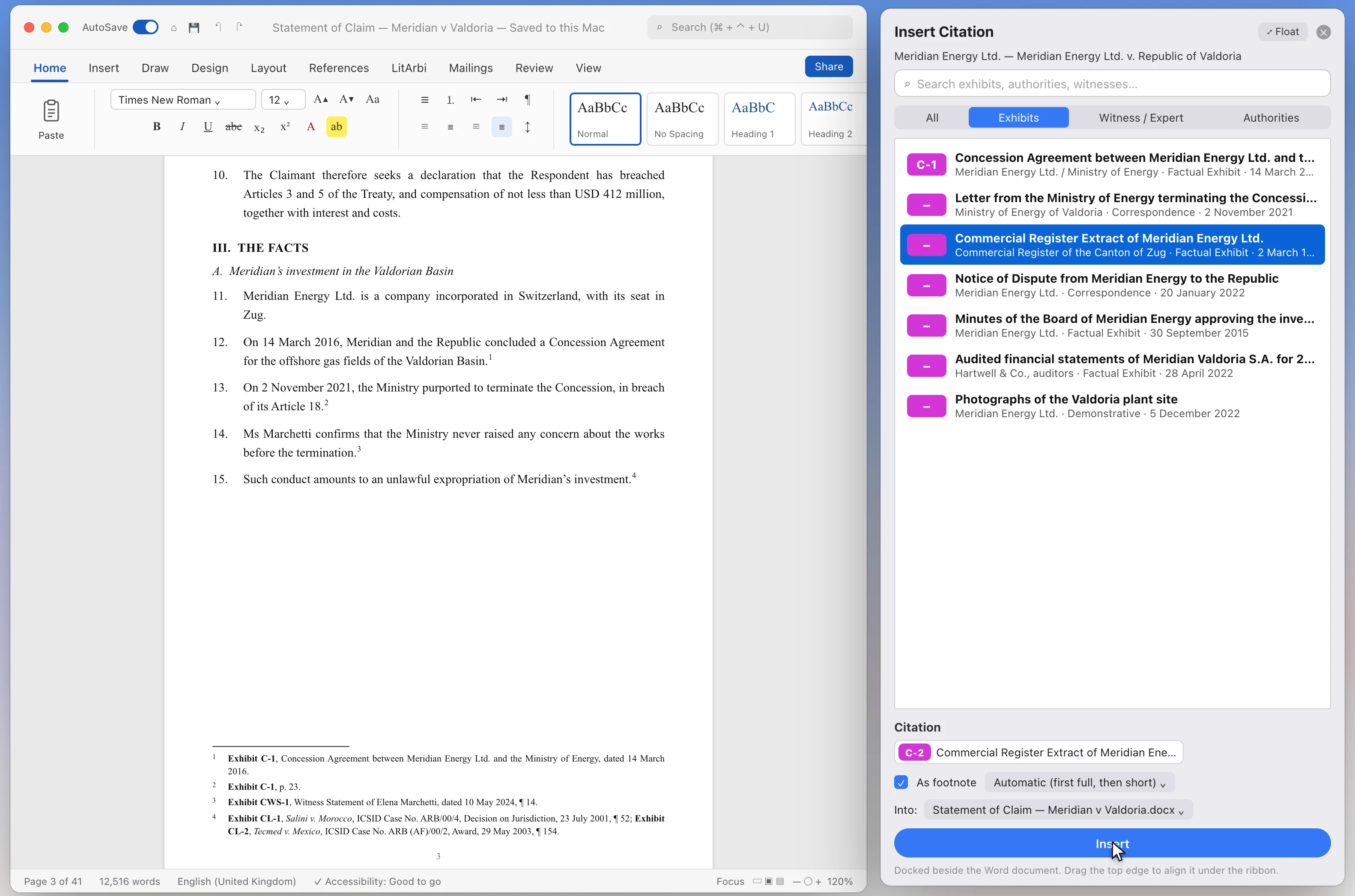
THE EXHIBIT LIST
A matter, in order.
One window per matter: sidebar, exhibit table, inspector. Everything a filing needs is a column or a click away.
More about this →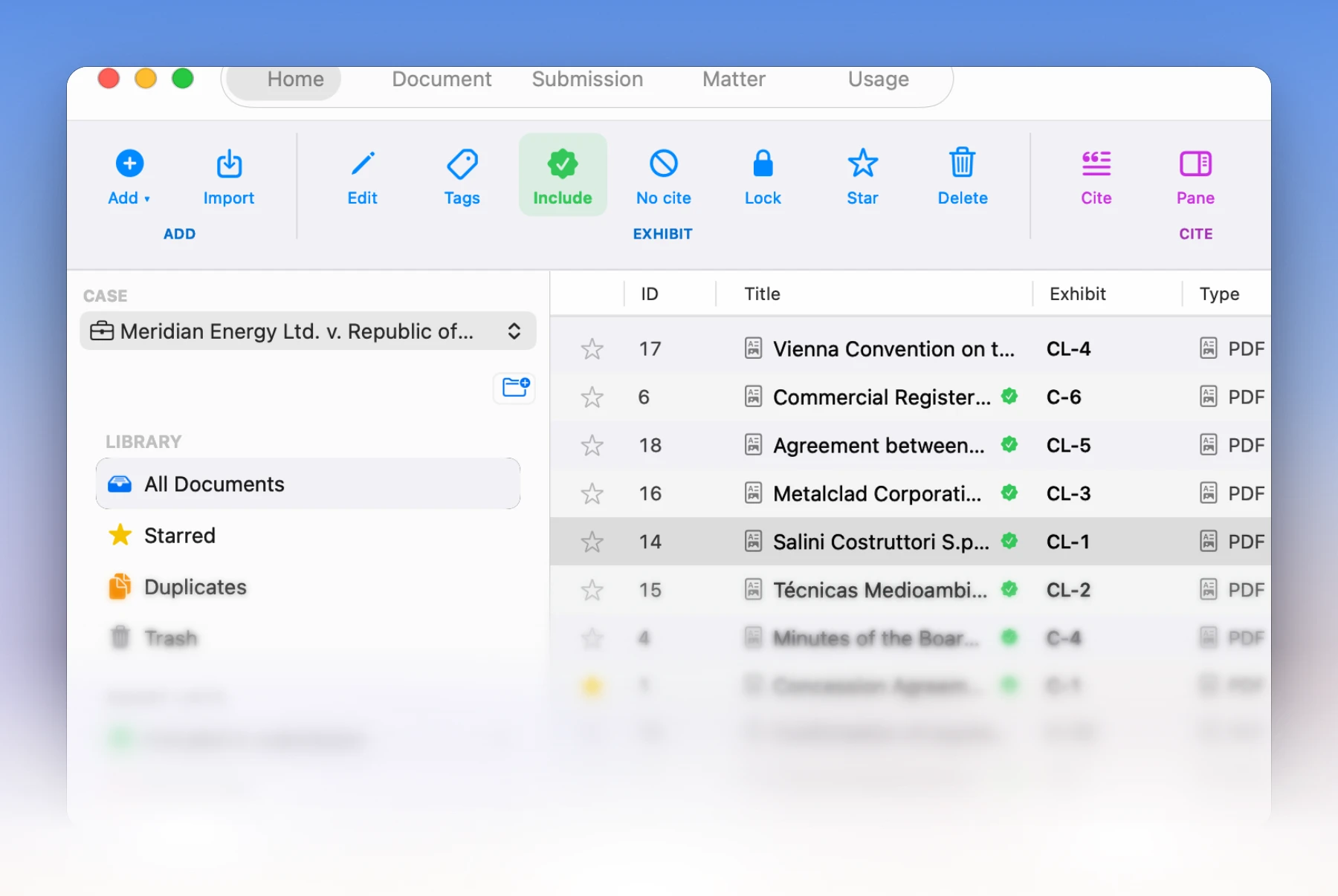
EVERY DOCUMENT
Read, translated, understood.
Scans, handwriting, recordings and foreign-language exhibits become searchable text and working translations — with AI only where you click it.
More about this →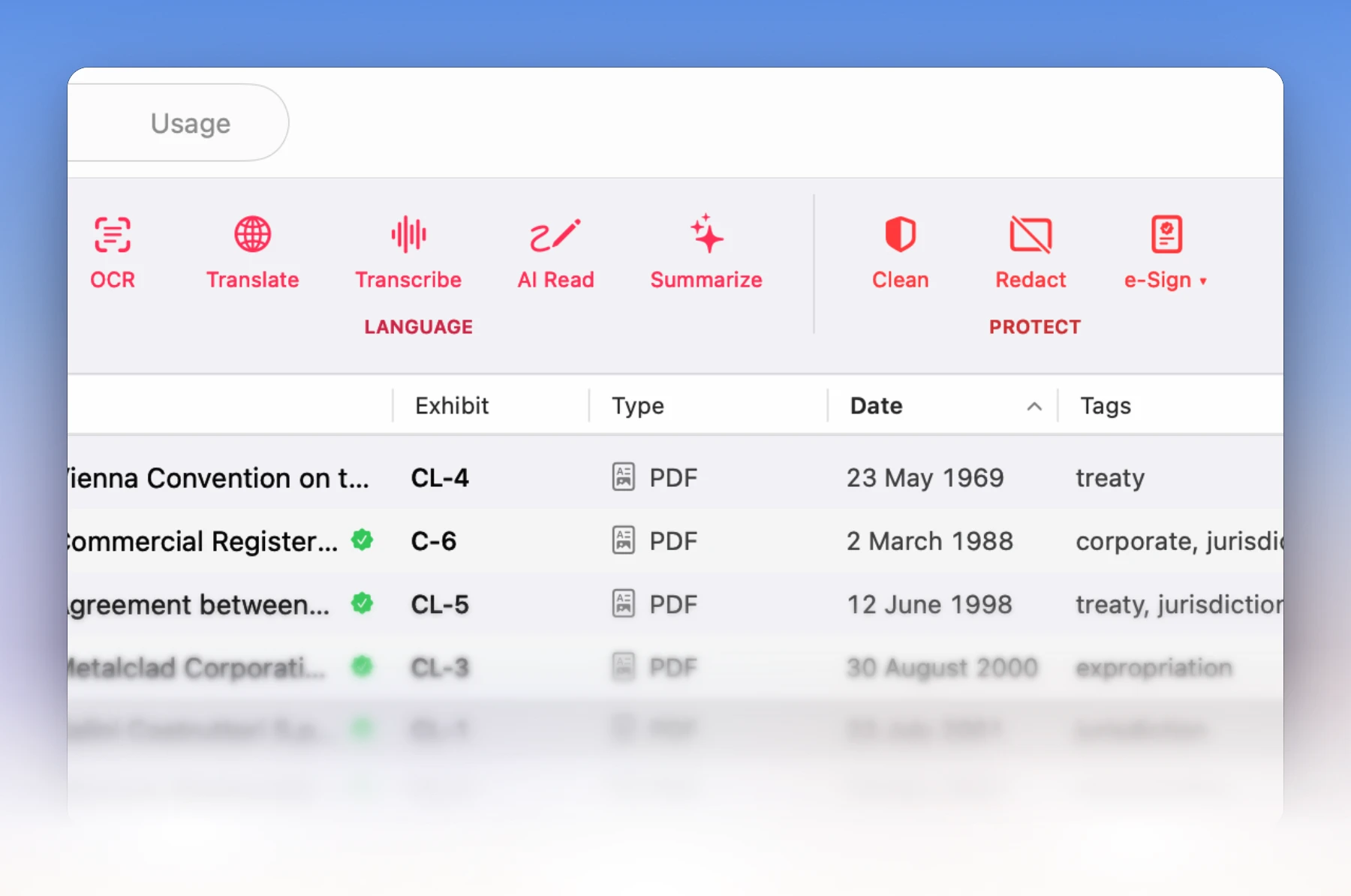
FROM EXHIBITS TO FILING
Number, bundle, sign, send.
The list of exhibits, the hearing bundle and the hyperlinked e-brief come from the same data as the citations — so they agree with each other.
More about this →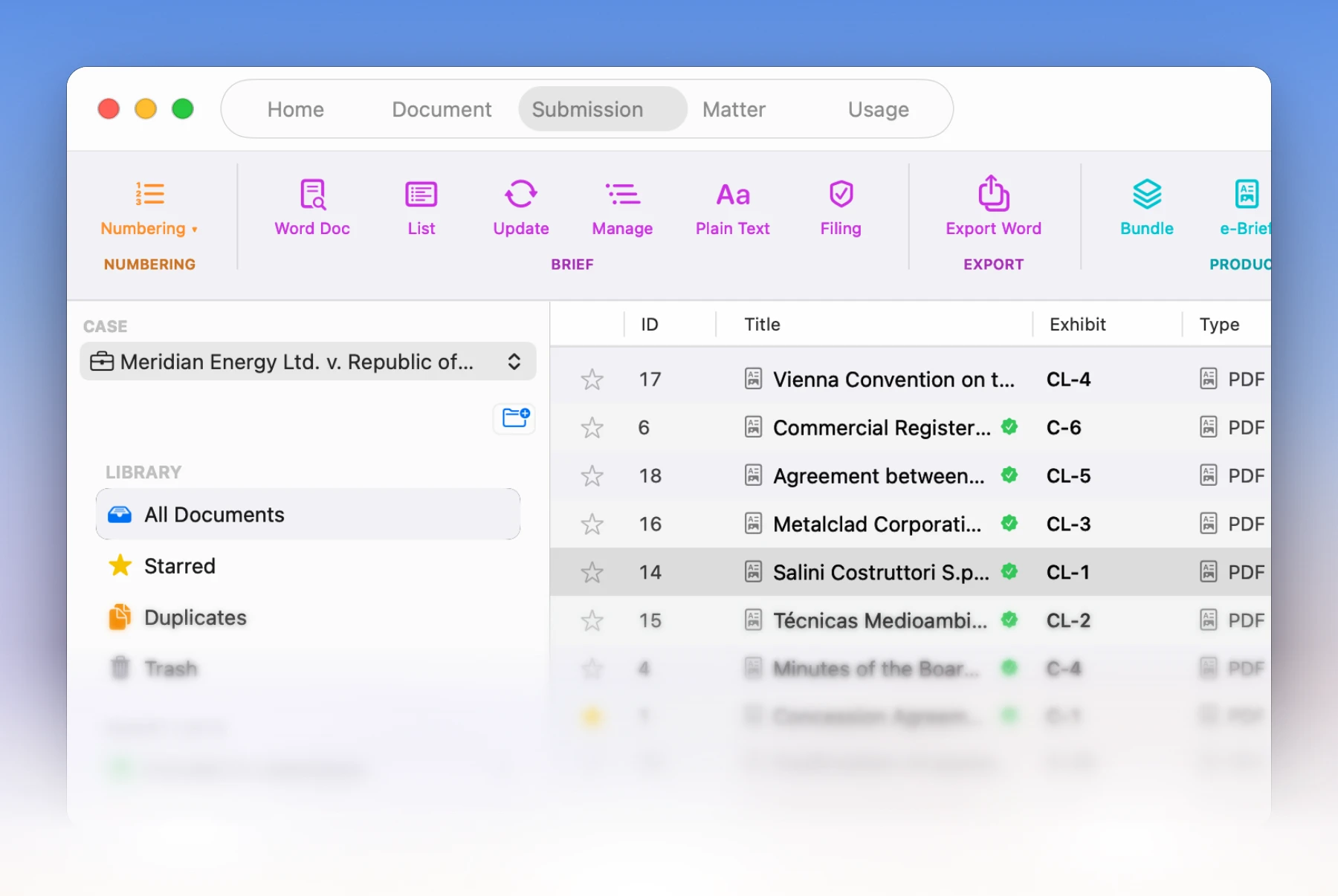
ANDROID: BETA ON REQUEST — IPAD AFTER THE BETA
The matter in the hearing room — on your tablet.
LitArbi for iPad & Android is finished. The Android beta is available on request; the iPad app follows right after the beta. Both come as an add-on to your licence. You prepare on the Mac or PC; at the hearing, every exhibit is on the tablet — and the page you cite is on the tribunal’s screen.
More about this →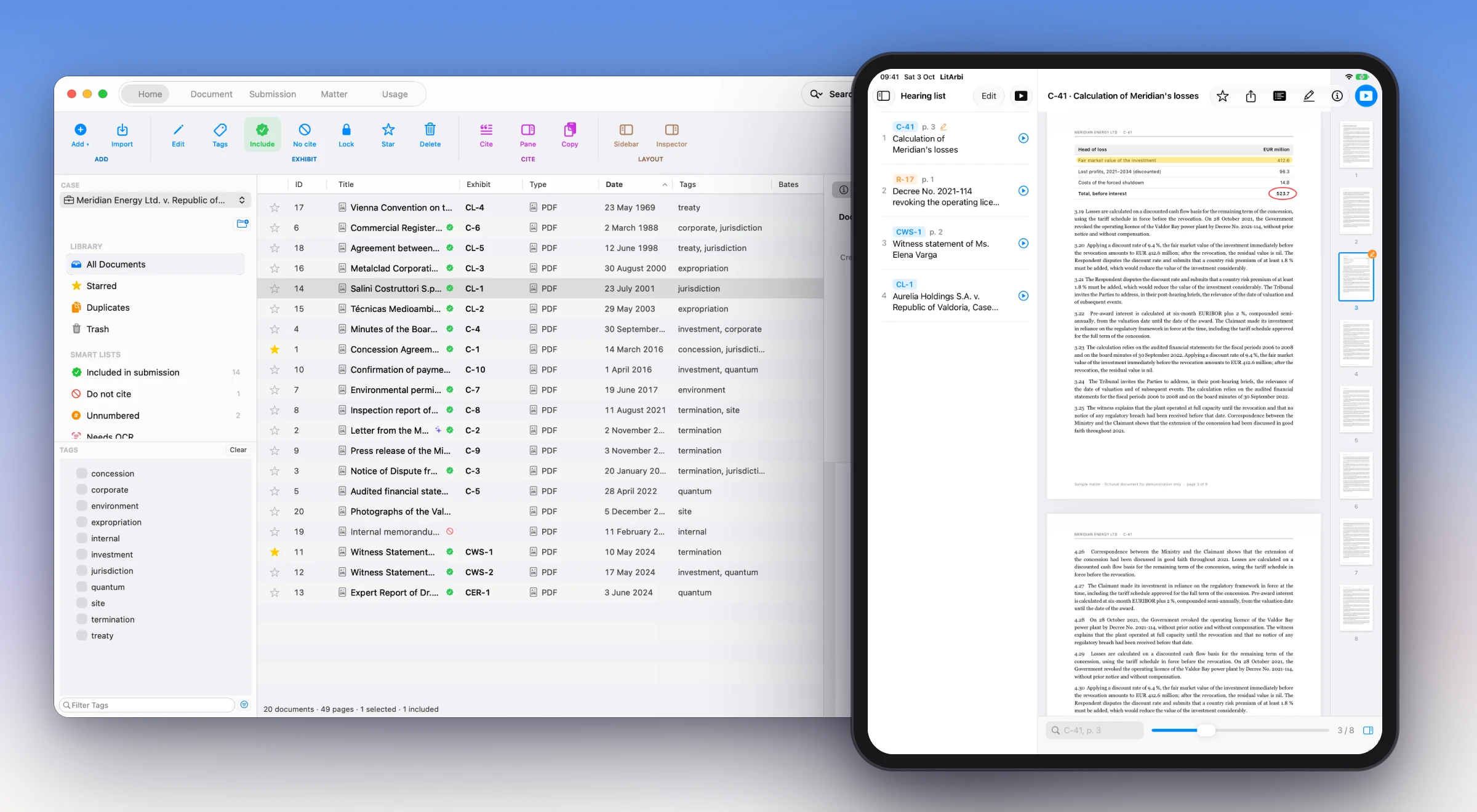
PLATFORMS
Native on both desks.
Work on a Mac at the office and a Windows laptop at the hearing: the same matters, exhibit numbers and citations on both — with one licence key.
More about this →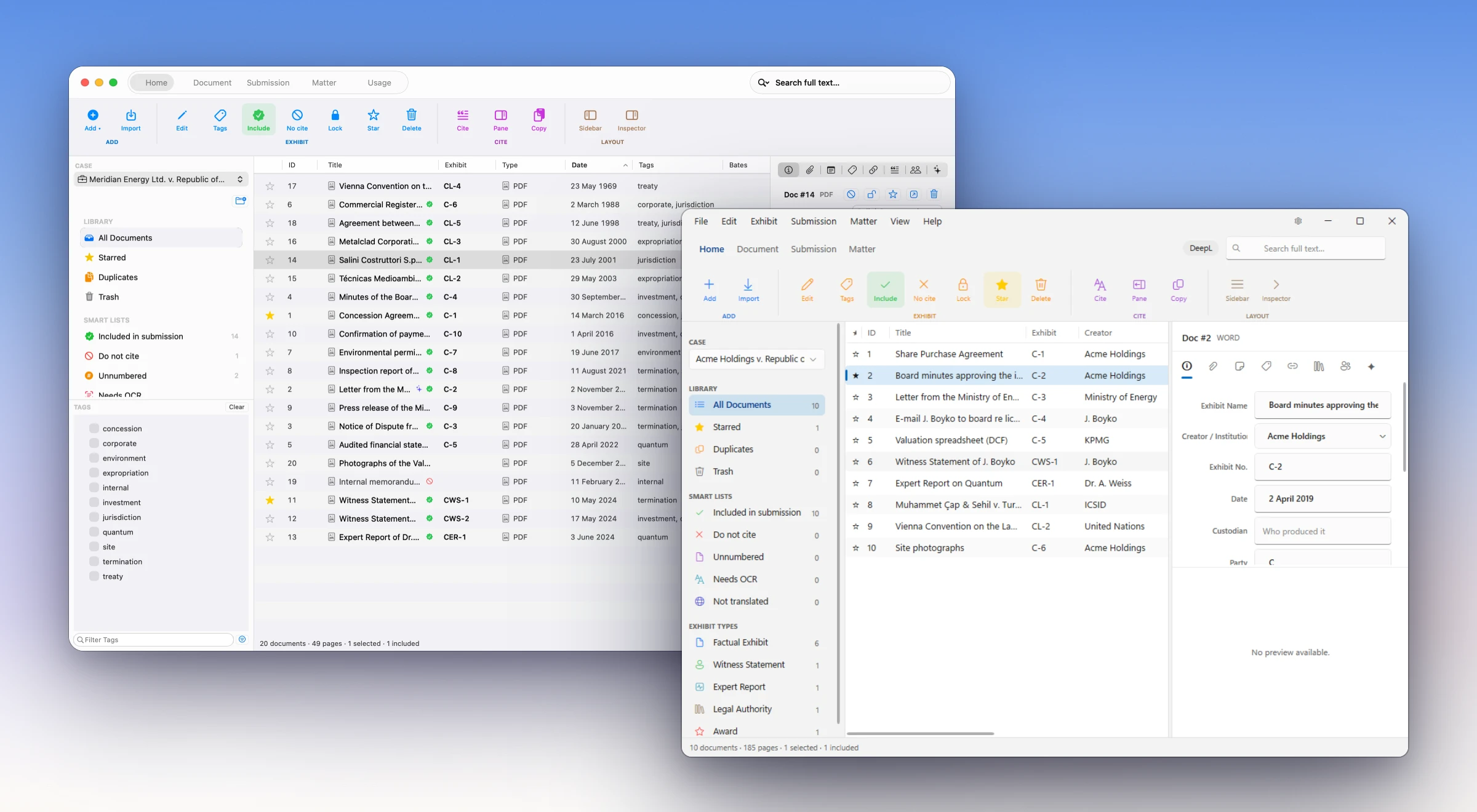
FOR TEAMS
Your firm’s own LitArbi Server.
Share a matter and the whole team works on the same exhibits, numbers, notes and citations — on Mac, on Windows and in the browser. It runs on your firm’s own web hosting; nothing passes through us.
Everything about the server →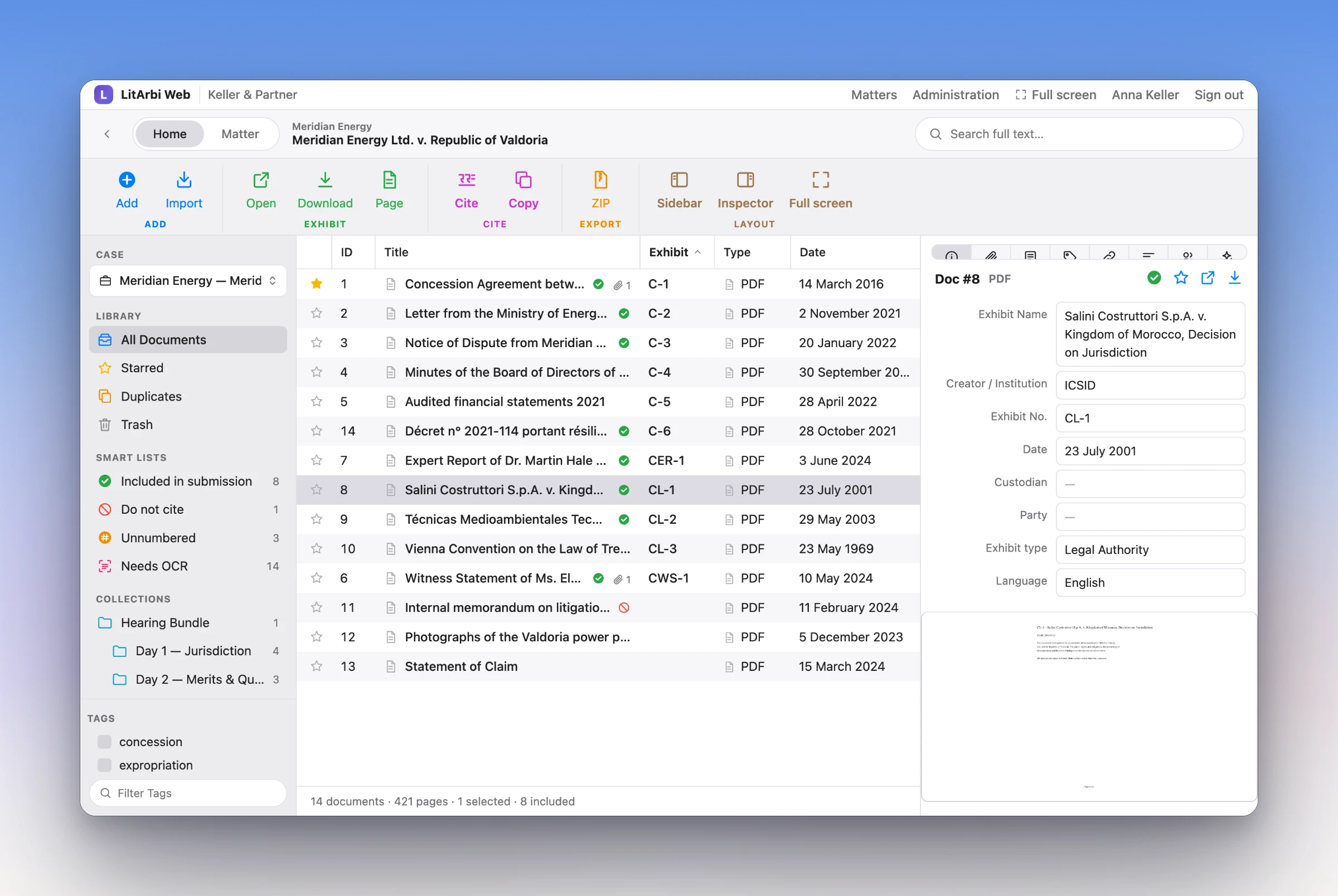
SEE IT IN ACTION
One minute, one brief.
Watch a Statement of Claim take shape in Word: cite, renumber, insert the list of exhibits.

WHO IT IS FOR
For everyone who works with a record.
LitArbi treats the record, the brief and the bundle as one piece of work — the way disputes lawyers do — and follows the conventions of your forum, from an ICSID tribunal to a German regional court.
- Arbitration counsel. Claimant and Respondent series, legal authorities, witness statements and expert reports with their own codes; awards cited with case number, decision type and date.
- Litigators. German and Swiss court practice built in: Anlage K 1 and Beilage 1, citations in the text, the two-line Beweisantritt from the menu.
- Arbitrators and tribunal secretaries. Arbitrator mode cites the parties’ submissions by paragraph, never renumbers their exhibits and shares the matter with your co-arbitrators.
- Firms and teams. One matter for the whole team on the firm’s own LitArbi Server — on Mac, on Windows and in the browser; co-counsel and guests are free.
- Moot court teams. Free for the season and set up for the rules of thirteen competitions — moot.litarbi.app.
FOR YOUR FIRM
The answers your IT and data protection will ask for.
LitArbi is built to pass a firm’s checks: the data stays with you, IT controls the rollout, and the licence fits the way firms buy software.
Talk to us about your firm All plans and the price calculator →
| Where the data lives | On the lawyer’s Mac or PC, or on an encrypted external drive. Shared matters on the firm’s own LitArbi Server, on its own web hosting — nothing passes through us. |
|---|---|
| What reaches us | An anonymous licence check. No usage tracking, no documents, no matter names. |
| AI | Off until someone clicks it — and then only to the provider the firm chose, with the firm’s own key, or to a local model that never leaves the computer. Every call is recorded in the matter’s AI protocol. |
| Encryption | Password protection for the app or a single matter; on the server, files encrypted at rest and matters end-to-end encrypted on request. |
| Rollout on Windows | MSI packages for x64 and ARM64; Group Policy templates for the licence, the server address and updates. |
PRICING
Simple plans. The server when your team needs it.
One licence covers Mac and Windows. Firms that share matters add the LitArbi Server — guests are always free. LitArbi is free during the beta, and beta testers keep founder pricing.
Common questions.
How do I join the beta?
How much will it cost?
Does it work with Microsoft Word?
What happens to a brief opened where LitArbi isn’t installed?
Does the numbering survive co-counsel’s Track Changes?
Where is my data stored?
Be among the first counsel to use LitArbi.
Beta seats are limited. Reserve yours and we'll let you know the moment your invitation is ready.
Apply for beta access