
LitArbi Server · for teams
One matter. Every desk.
LitArbi Server connects your firm’s Macs, Windows PCs and browsers to the same matters — the same exhibits, numbers, notes and citations everywhere, in step within seconds. It runs on your firm’s own web hosting, and LitArbi, the company, never sees your data.
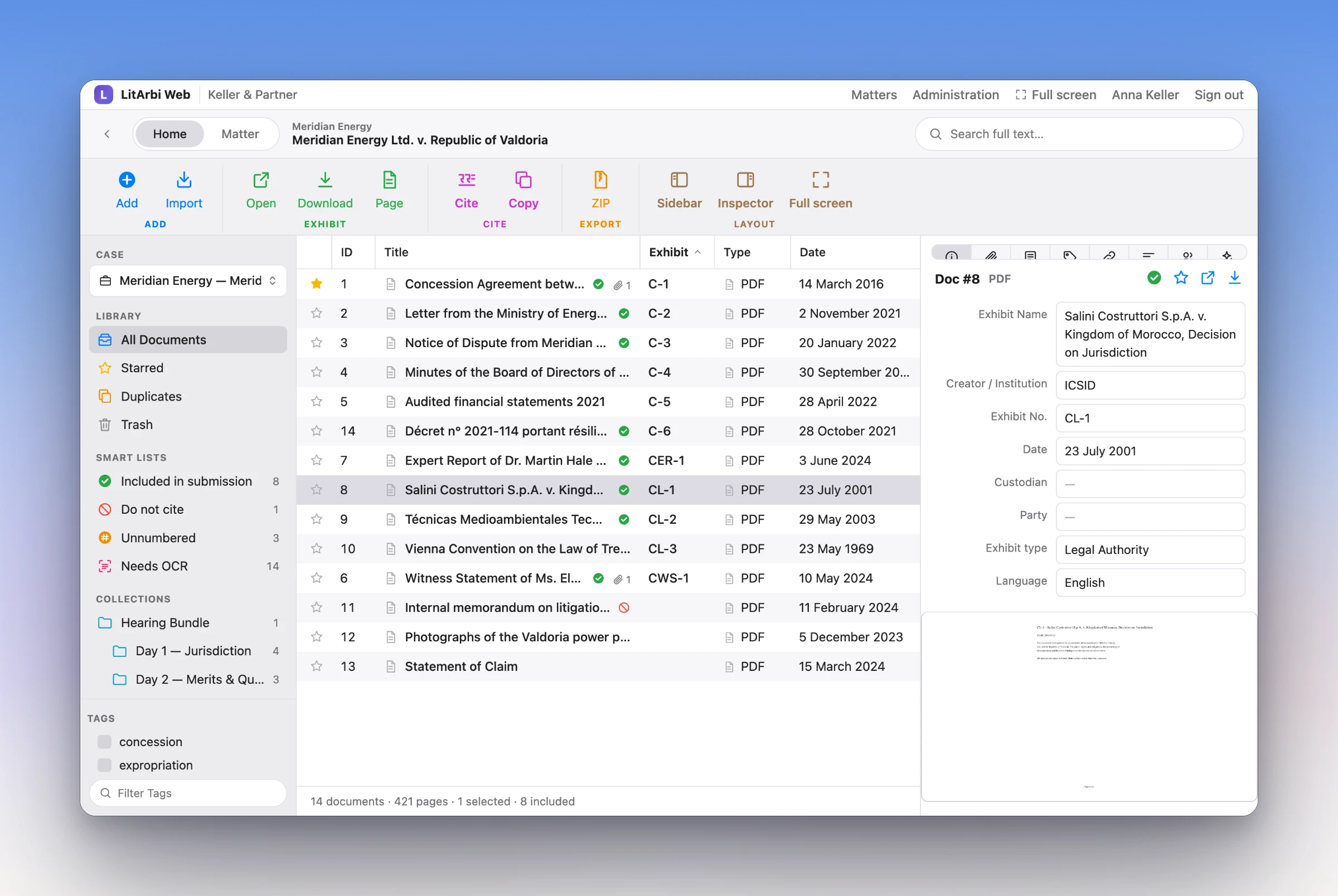
LitArbi Web — a matter on the server, in the browser.
WHAT IT DOES
Built for a team working on one matter.
Share a matter from LitArbi with one click. From then on, everyone the matter’s owners invite works on the same data — and every computer keeps working when the connection drops.
In step within seconds
Every change — a new exhibit, a renumbering, a note, a tag — travels to the others in seconds. Each computer keeps a complete working copy and works offline; changes wait and go out when it is back.
Numbering under a team lock
Exhibit numbering runs under a lock for the whole team, so two people numbering at the same moment never hand out the same number — and a brief’s citations stay right.
Your matters on every computer
Sign in on a new Mac or PC and LitArbi offers to copy your matters onto it, with their files — and to put matters that exist only on that computer onto the server.
LitArbi Web
The matter in any browser, laid out like the app: sidebar, exhibit table, inspector, preview, full-text search, citations to copy. Full screen, or installed as an app of its own.
Co-counsel, experts, the client
Invite them to a single matter: their own account, two-step sign-in, an end date if you like. Guests see only what they are invited to — and are free.
Bundles by download link
Deliver Bundle puts the password-protected ZIP on your server and hands the lawyer a link for the other side or the tribunal. The recipient needs no account; the link works as long as your firm allows, ends with one click, and every download is logged.
Nothing is lost at once
Every replaced or deleted record stays on the server for 30 days, or up to 180 if you choose. Recently deleted and each exhibit’s history bring it back — in LitArbi and in the browser.
Licences at sign-in
Enter the firm’s LitArbi keys on the server once. Lawyers get their licence when they sign in — nobody types a key, and a released computer gives its seat back.
End-to-end encryption
Tick one box when sharing and the matter reaches the server only encrypted: the key exists on the members’ computers alone. A one-time code confirms every new member.
 New computer
FOR THE ADMINISTRATOR
A console that shows what matters.
Whoever looks after the server sees at a glance how it is doing — and changes what needs changing, in the browser.
- Overview. Users and guests, matters, storage, the licence and what needs attention — at a glance.
- Users and guests. Accounts, roles, two-step sign-in (it can be required), invitations and end dates for guests.
- Access from outside. Cloudflare Turnstile in front of the sign-in — always, or only outside the office network.
- Updates in one click. New versions are signed by LitArbi and install from the console; the previous version is kept.
- Activity log. Every sign-in, change of access and file view — without file names or contents.
