
INSIDE WORD
CiteFlow: citations as you draft.
One pane wherever you draft: in Word on the Mac and on Windows, in Word on the web, in Word for iPad, in Google Docs — and in LibreOffice Writer. Click exhibits into the citation; LitArbi writes it in full the first time and short after, the number in bold, linked to the exhibit.
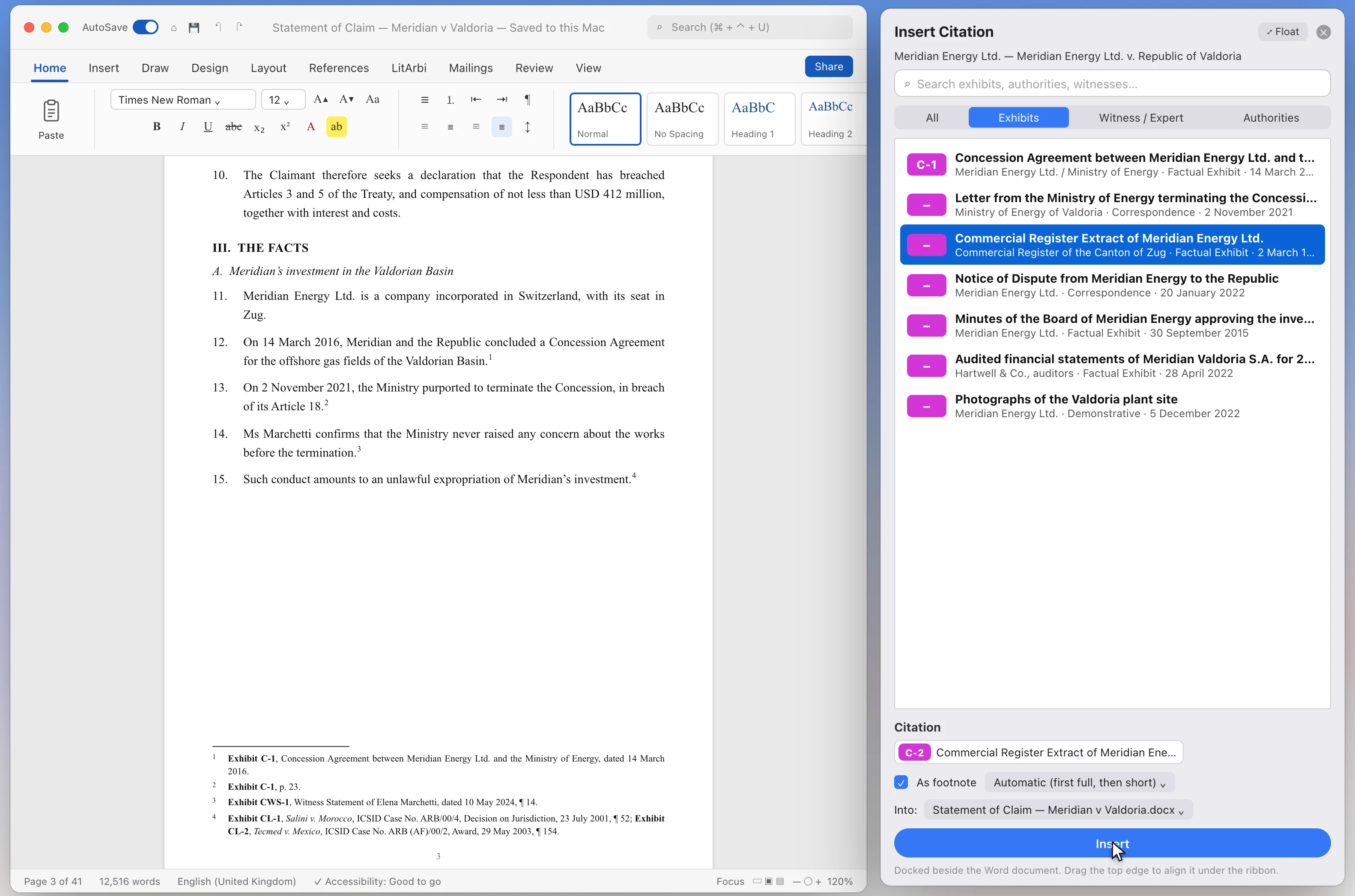
Word for Mac and Windows
Beside the LitArbi app: every function, from numbering on cite to the List of Exhibits.
More →
Word on the web
In the browser — from your firm’s LitArbi Server, a bundle’s exhibit list or LitArbi on the same computer.
More →
Word for iPad
Cite from your firm’s server on the tablet; the cited exhibit opens in LitArbi for iPad.
More →
Word for Android
Word for Android runs no add-ins — LitArbi for Android opens beside it in split screen: copy a citation, paste it, linked to the exhibit.
More →
Google Docs
The same pane and the same citations in Google Docs — coming to the Google Workspace Marketplace.
More →
LibreOffice Writer
LitArbi for LibreOffice: the same citations, numbering and List of Exhibits in Writer, beside LitArbi on the same computer or from your firm’s LitArbi Server.
More →What works where
| Word for Mac and Windows | Word on the web | Word for iPad | Word for Android | Google Docs | LibreOffice Writer | |
|---|---|---|---|---|---|---|
| Exhibits from | LitArbi on the computer · your firm’s server · a bundle | Your firm’s server · a bundle · LitArbi on the same computer | Your firm’s server · a bundle | LitArbi for Android · your firm’s server · a bundle | Your firm’s server · a bundle | LitArbi on the same computer · your firm’s server |
| Footnotes, full then short, linked | ✓ | ✓ | ✓ | Pasted from LitArbi, linked | ✓ | ✓ |
| List of Exhibits | ✓ | With LitArbi on the same computer | — | — | ✓ | ✓ |
| Numbering on cite, Update Exhibits | ✓ | With LitArbi on the same computer | — | — | — | With LitArbi on the same computer |
| Making bundles | ✓ | In LitArbi for Mac or Windows | In LitArbi for Mac or Windows | In LitArbi for Mac or Windows | In LitArbi for Mac or Windows | In LitArbi for Mac or Windows |
| Status | In the beta | In the beta · in Microsoft’s review | In the beta · in Microsoft’s review | With LitArbi for Android (beta) | In Google’s review | With LitArbi 0.9.70 |
The add-ins

Google Workspace Marketplace and the Google Workspace Marketplace logo are trademarks of Google LLC.
SEE IT WORK
From exhibit to footnote — without leaving Word.
Cite an exhibit and LitArbi numbers it. Add one above and every citation renumbers itself — automatically, live, in your document.
Guides
- Table of authorities in Word: building a list of legal authorities that stays accurateHow to create a table of authorities in Word with Mark Citation and TOA fields, or by hand on a Mac — plus CL- and RL- numbering, pinpoints and short forms.
- How to number exhibits: C-1, R-1 and the rules behind themHow to number exhibits in arbitration and court: C-1 and R-1 party prefixes, CL- authorities, CWS- and CER- testimony, sub-numbers and safe renumbering.
- Exhibit list template: how to build an index of exhibitsA free exhibit list template for arbitration and litigation: the columns an index of exhibits needs, cumulative vs per-submission lists and common mistakes.